
TECH TIPS:
Change Your Wi-Fi Password
From time to time, it’s a good idea to update your Wi-Fi password—especially if you’ve shared it with guests or simply want to refresh your network security.
Whether you're looking for peace of mind or better speeds, you can change your Wi-Fi password right from the ArisControl App.
Don't have the ArisControl App? Download it today!

It’s easy to change your Wi-Fi network name (SSID) and password using the ArisControl Mobile App. Follow the steps below to make changes:
-
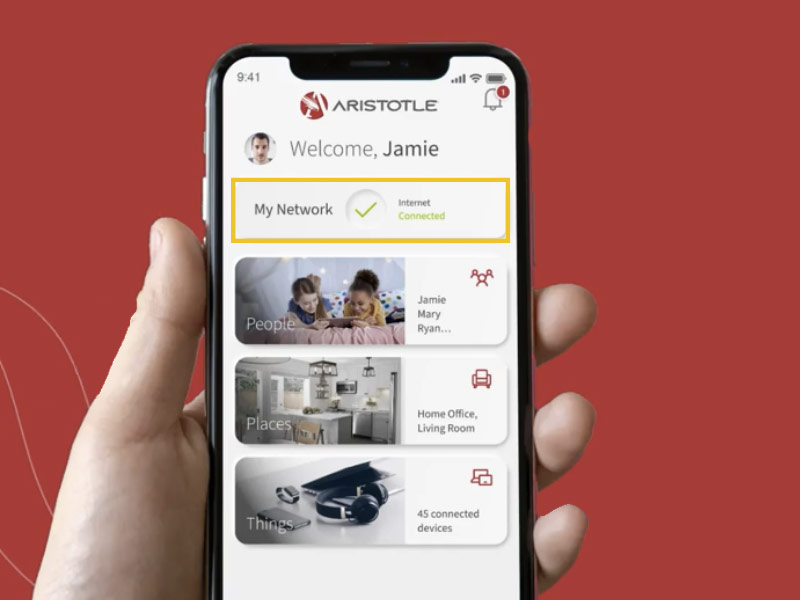
Select "My Network" from the main menu.
-
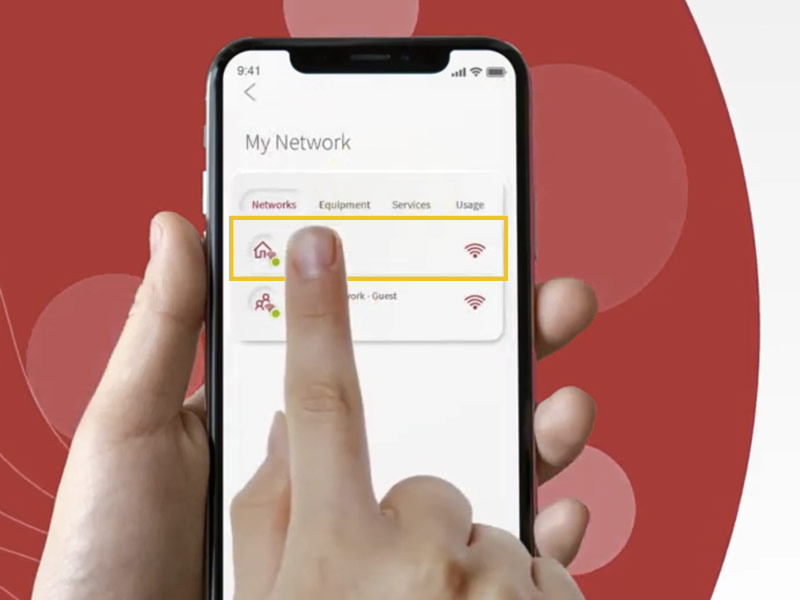
Select your home Wi-Fi network from the list.
-
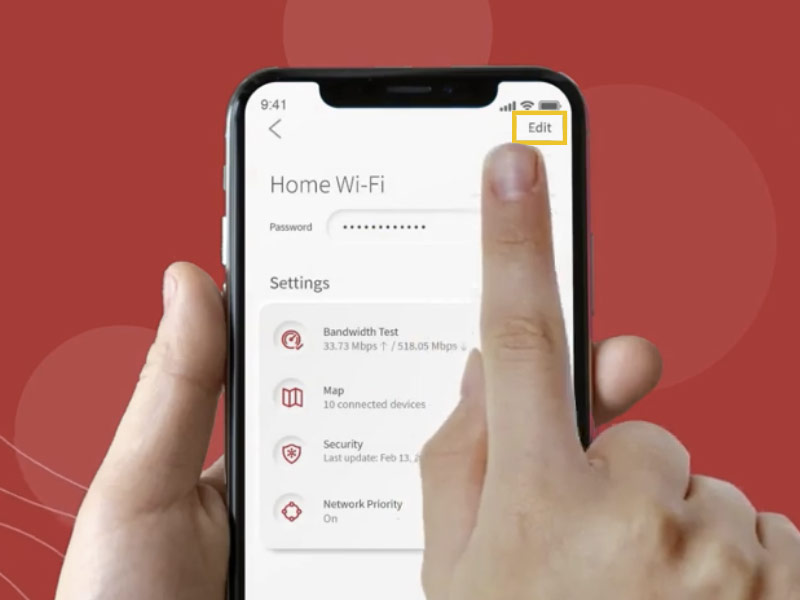
Select "Edit" in the top-right corner of the screen.
-
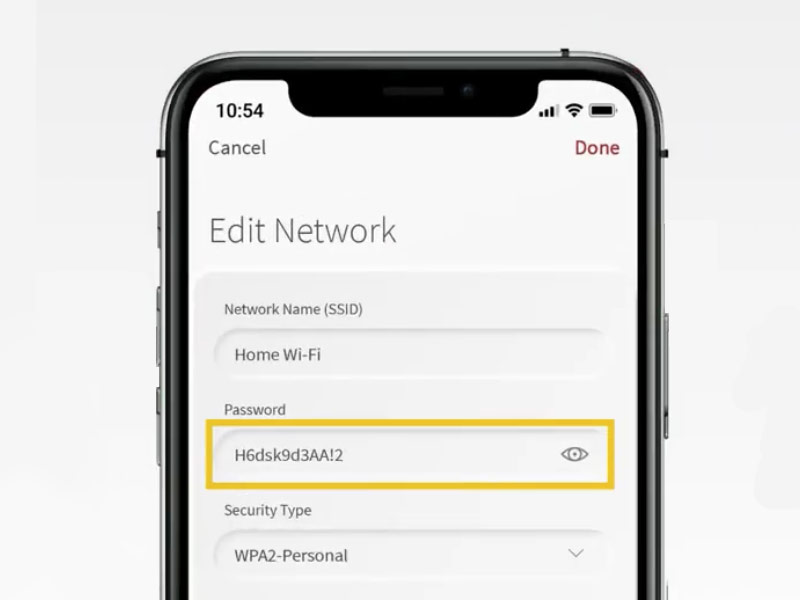
Tap the information you want to change, then follow the prompts to make your updates.
Select "Done" when finished. Within a few moments, your new Wi-Fi Network Name (SSID) will be available for devices to connect.
NOTE: All connected devices will need to be reconnected using the new Wi-Fi name and password before they can access the network. This includes computers, phones, gaming systems, and other connected devices.
Still need help with your password? Contact our support team.
Want a step-by-step walkthrough?
It’s easy to change your Wi-Fi network name (SSID) and password using the ArisControl Mobile App. Follow the steps below to make changes:
-
Select "My Network" from the main menu.
-
Select your home Wi-Fi network from the list.
-
Select "Edit" in the top-right corner of the screen.
-
Tap the information you want to change, then follow the prompts to make your updates.
-
When finished, select "Done."
Within a few moments, your new Wi-Fi Network Name (SSID) will be available for devices to connect.
NOTE: All connected devices will need to be reconnected using the new Wi-Fi name and password before they can access the network. This includes computers, phones, gaming systems, and other connected devices.
