
TECH TIPS:
Set up a Guest Wi-Fi Network
Full house for the holidays? Make sure everyone from the little gamers to the grandparents can get connected! Set up Guest Wi-Fi with the ArisControl App! It's a great way to ensure your passwords stay secure and to enforce your house rules. Set parental controls for visitors — like time limits, content restrictions, and more — with ArisControl!
Don't have the ArisControl App? Download it today!

It’s easy to add a Guest Wi-Fi Network using the ArisControl Mobile App. Follow the steps below to make changes:
-
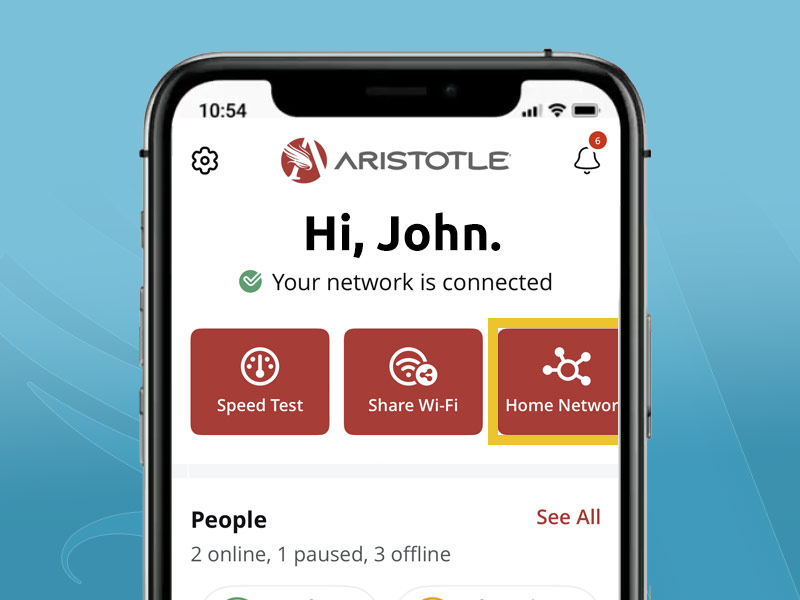
Select "My Network" from the main menu.
-
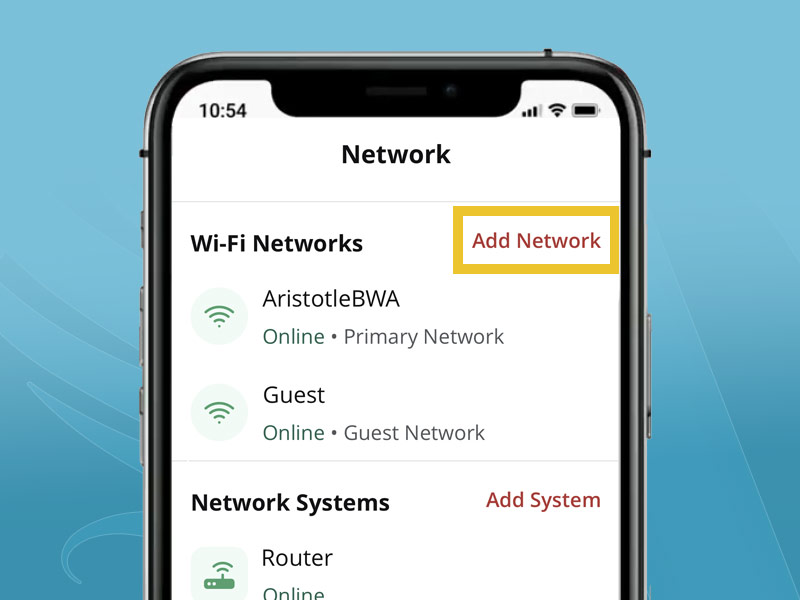
Select "Add Network" at the top-right corner of the screen.
-
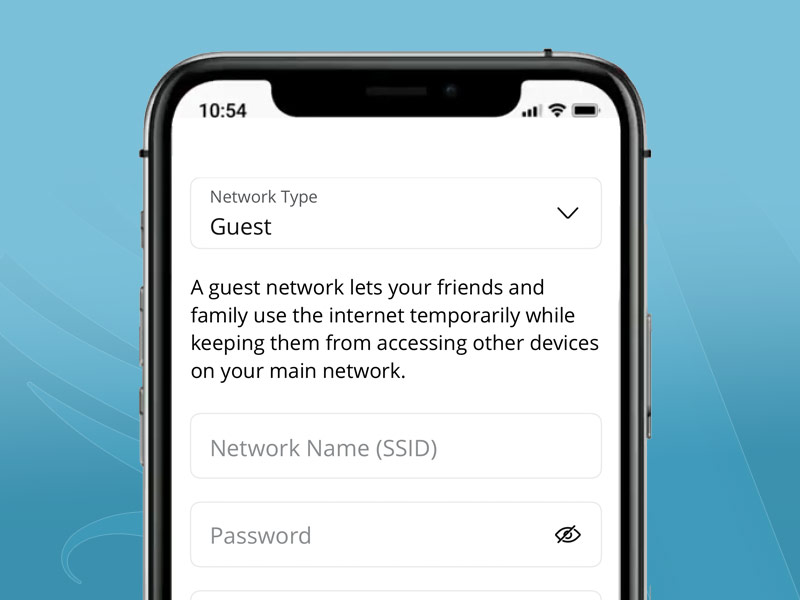
Follow the prompts to give your guest network a unique name and password. (Be sure they are different from your default Wi-Fi Network).
TIP: Choose a password that is easy to give to guests but still difficult for a stranger to guess.
You can set an optional start and end time for the network to expire, if needed. When finished, click the "Save" button. Within a few moments, your new Guest Wi-Fi Network Name (SSID) will be available for devices to connect. -
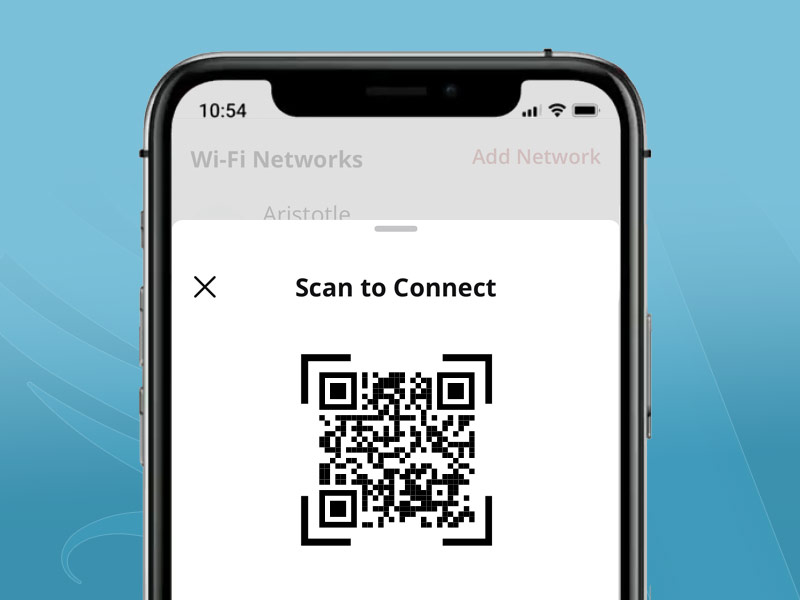
When guests arrive, you can click on the network name for helpful "Share" and QR Scan Code options.
It’s easy to add a Guest Wi-Fi Network using the ArisControl Mobile App. Follow the steps below to make changes:
-
Select "My Network" from the main menu.
-
Select "Add Network" at the top-right corner of the screen.
-
Follow the prompts to give your guest network a unique name and password. (Be sure they are different from your default Wi-Fi Network).
TIP: Choose a password that is easy to give to guests but still difficult for a stranger to guess.
You can set an optional start and end time for the network to expire, if needed. When finished, click the "Save" button. Within a few moments, your new Guest Wi-Fi Network Name (SSID) will be available for devices to connect. -
When guests arrive, you can click on the network name for helpful "Share" and QR Scan Code options.
